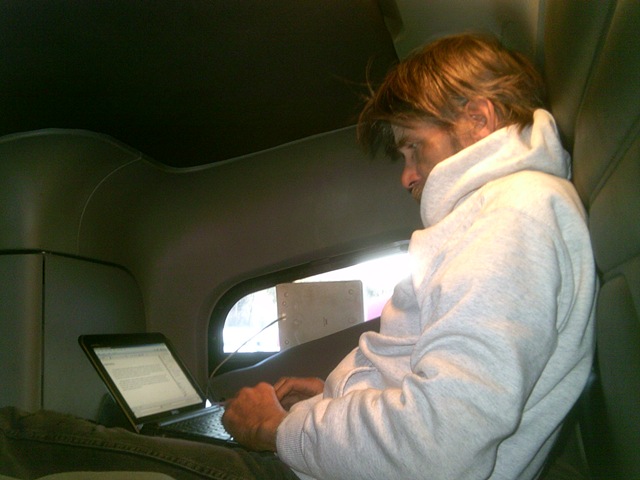
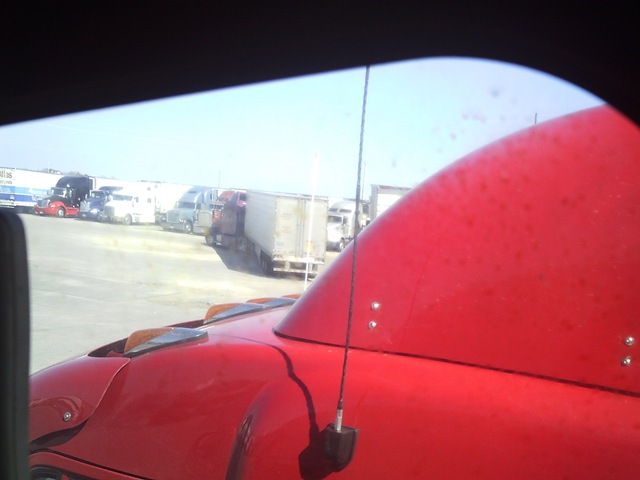
A Morning Blog – March 4th, 2012

      This year (2012) has been the mildest winter season concluding with spring only a couple of weeks away. It is hard to convince anyone that a computer is as “solid state” to just wake up, and just write. In my six years of working in trucks, the previous Februarys (and now the month of March) have been so cold, that it DSCF0001 took an hour to warm up the inside of the cab of the truck, before I would dare start any personal computer, simply because they are just as human as we are, and don’t work well starting from an evening slumber. It truly depends on the type of machine, and how it ages; some take longer to work well, while others run boldly well. My old rule was to always wait until it was comfortable for me before expecting the computer to be turned on.

      It also takes me time to want to leave the comforts of an extreme cold sleeping bag. In the past, it took time to build a routine to awake to, such as dressing, washing up, cleaning the floor from the discarded items that collect, while settling down to sleep. Even now, the process was to even start the truck…then comb my hair. To pull out the net book, just to write a simple blog took time to build up to. Can I make it a routine? I’ll need more time, but I’ll try.

      The start of every new year always meant making the weather forecast the second most important thing to be informed about. I have a Uniden citizens band radio, with NOAA weather built in, so as I write, I can catch the big words like “rain”, “snow”, and “accumulation”. Today, there is a prediction of snow rolling from Canada, and may cover the grounds up to an inch, here in Du Bois, Pennsylvania. I will be rolling north east before it is forecasted to be here. DSCF0002

      As I stated about the past years, February always meant the Temperatures in the teens, inside the truck, slightly damp, while the outside was dressed and covered in ice and snow. My routines in the past was also still in its infancy, and deciding how to get the most out of the morning was a struggle. But in six years, I have matured enough to get up, get dressed, and decide the first hours activity. This is a far cry from the past, where I would awake, and need to process the thought of where I was, what I was doing here, and what to do next. It does take time to make this a lifestyle. From the beginning, I felt more like a transient, intruding in the town I have no relations with. Over time, I have learned to “shrink” my concerns (my little world) to the small confines of the cab area of the truck.

      So, with a morning Blog attempted, and dry pavement to start out, it is time to start my daily routine ofDSCF0003 catching up with my log from the day before, figuring what other loose end needs to be tied up throughout the day, and finally…roll on. In the past, my morning started with a need of that first cup of coffee. I really have come a long way. Well, this was more like a test, or quest to see if I could do it…and in a timely manner. It took time and thought in the past to get to where I could just grab the camera and computer, and develop a quick work area, and stay focused on what I was trying to accomplish. This doesn’t seem like much to boast about, but, as soon as this is uploaded, I need to make time to “pat myself on the back”, because it did take all this time to feel this comfortable, and be able to do this simply by inspiration, rather than thought and planning.
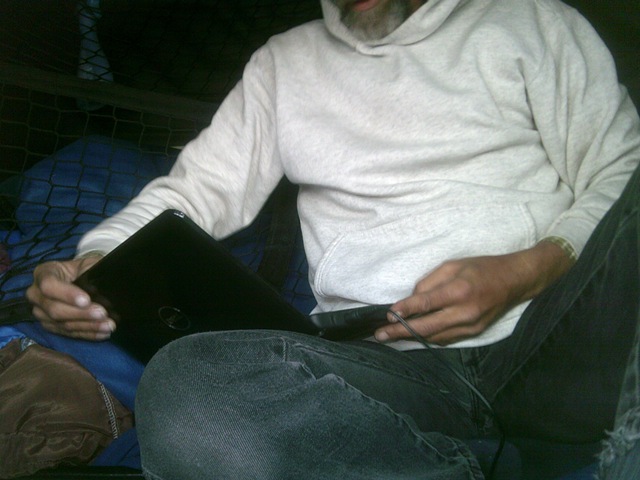
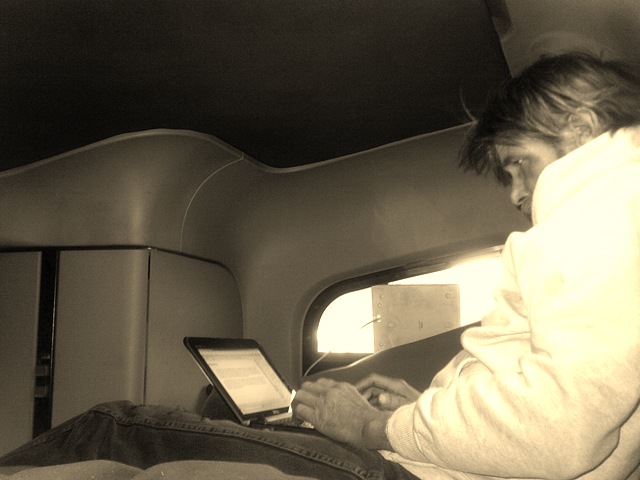
      Well, the alarm clock just went off. Time is up. I have to go and “roll”. Good morning world!

Posted in Uncategorized | Leave a comment

Making The Most Of The Blog

      I made a promise that I would be more sociable, and yet it’s the last week of February, and the isolation still exists. I keep wishing to just use the Driver’s Blog for just leisure, and still I keep adding more and more SUNP0006“How To” concepts, than a more relaxed theme of what I saw, and what is still to be seen. It truly has been a long process to adjust to. So, I think I need to start moving articles to other locations and make this my “Down-Time” blog, with pictures and stories to simply pass the time. Even now, I feel so compelled to rehash the last few years. I guess it is more of a self “sole search” to figure how far I have come.

      It is February 26th, a Sunday, and a beautiful day in Denton, Texas. Of course, I still have my own chores to do, such as laundry, records keeping, and backups (I guess some things just won’t change), but to just take a look around, and notice the area I have come to stay, this should start a new outreach to the Driver’s SUNP0002 blog theme. Typically, when I know I’ll be “planted” in one spot for a thirty four hour period or more, I try to think of what I need to get done and be ready to roll again. This time it was laundry. Not all truck stops have everything a driver needs, but there are so many stops along the way, that in some cases, you can park at one, and walk across the way to another, just to get everything done.

      The life on the road took some time to get used to, and carrying around a notebook everywhere I go was an image thing to consider and overcome.SUNP0003 In fact, I started out feeling like a transient, with all these expensive stuff, awaiting for it to be snatched away. But, over time, and awkward approach to the daily life of truck driving, I was able to get my mind focused on why I was carrying this machine to everywhere but the shower.  For me, the computer holds every aspect of my daily routine, from the daily driver’s log, to every load, fuel stop, expense purchase, and even income expectation. From the time I start my day, until I shut down, everything is recorded, and in various forms and styles that keep information in their separate intention instead of building a complex line of the whole record. Now, I sit in a laundry room, sitting on the floor, while two other people ahead of me pass the time in conversation. Eventually, I would get called into the conversation, and the article would have to be finished later.

      We did of course talked about the computer, and I told them my intentions on my future business. The conversation covered children, pets, pan-handlers, scams, and finally interrupted by someone singing. The laundry room was located in between shower areas, and yes, some guy sung loud and strong. No one complained though…he was really good. There is much amusement at truck stops, and why not? These are places where people come from all walks of life, different states and different backgrounds. You eventually find something to talk about, and if not at the time, then by the time you leave.

As you can see, I have a long way to go to just enjoying my time of leisure.

      So, it really became a blessing to have such a mild winter, and much of the load planning has kept me from the worst weather as it pass through certain regions.  I am back in the truck, with the shades open in the sleeper birth area, quietly typing away again. The sun is just warming the inside of the cab, as the winds SUNP0005 cross the open space of the Lone Star state. I checked the weather this morning, and it does look like another storm front is rolling through Minnesota, and will trek eastward throughout the week. The weather channel mentioned that Spring is three weeks away. I really experienced a pleasant winter season, with only leaving Chicago, and a morning snow on Friday. I am still what is known as forced dispatching and so much of the credit goes to the Fleet manager, and the available loads. But I think this will be the way to run in the future and through the winter seasons for the next few years.

      With the laundry finished, and a second return to the truck (with one pretzel, one soda, and my large coffee), I settled in my favorite personal spot…the top bunk of the sleeper birth. “Downstairs (bottom bunk)“ is my supplies, clothes and work related items. SUNP0004Up here is where I sleep, watch television, and play (rarely) on the computer. Of course, the DTV doesn’t always SUNP0006get a signal, so a quiet day inside, with only the rumblings of a truck running not to far in the row of giants. I have movies, and there is always the radio,   even through the internet.SUNP0005 It makes me wonder what it was like for the older drivers decades ago, only to realize that you make do with the time you are in, and how could they know what was missed. I guess much of the same probably went on, except things were written on paper (not typed), and mailed out (not uploaded). Laundry is laundry; that won’t change. Still, there has to be someone out there who simply needs to be entertained…so they must be bored. It won’t be long before I return to backing up files, and scanning. It is nice to have a morning filled with entertainment. And, for a breather, I’ll probably go inside, and watch television in the movie room. I will return though, and it took a long time to pass, but it will be to focus on the self made projects, my future goals, and preparing for another day. After all, work is  24/7/365. I am finding time to balance in leisure, and my goal, to socialize.

      It is my hopes that this year brings more organizing, better planning, and time to explore and have fun. I already created categories for future projects on this blog, with another I’ll call “Down Time”, and if I can work my time right, my final goal, called “Sight Seeing”, just to explore the places I stop, and the chances to see different arts, activities, and cultures as they occur. Not many see this further than professional driving, and for good reason. It takes so much time to develop an attitude, a plan, and the ability to keep up with all the work one can create for themselves. Professional Driving is a lifestyle and a challenge all in itself. Typically, a driver just wants to rest, and be entertained, when it comes to stopping for a break or a re-start period. Driving does take a lot out of a person, especially when it is nonstop and always rolling. Leave it to a computer geek, who so happens to have a CDL to place himself into a leased contract to have the incentive; to build the endurance to become…a one man show.

      Well, I think I’ll stop here for now. I still have to go online and upload this article, change a few settings, and add that Down Time category. It has been a great morning, and with the first three hours of the afternoon now gone, my agenda is calling me. I had fun exploring this Live writer program, and to see if the pictures go in place with the article. I really do think I have a new tool to use. I hope everyone has a good weekend, and rests up to do the whole thing again for Monday.

Posted in Down Time | Leave a comment

Writing While Away

    From time to time, we find ourselves away from our own personal computer, and so any unfinished project waits until we can return to it. But, sometimes we can pick up where we left off, especially when writing/typing, and another computer is available. When at a library, office, or visiting friends and family, and ideas come to mind, getting to use a word document program on some else’s computer is a concept that may take some time to understand, especially if a storage device, such as a memory stick is not carried for such an occasion. The only thing to remember is that some programs save a document as a file in another format type, but all can be saved as a  ProjectName.txt. When saved as a WordPad text file, almost any other type of document program can open it. Never let a different type of software program stop you. If it is a document program, it can be saved in text format; it’s just learning all the tools that are available if you plan to detail your writing. If you can wait to add columns, pictures, and other arrangement until you get back to your computer, then every computer has the letters and punctuations of a keyboard in the same arrangement, and all you really need to learn is how to save the file, and where (what drive letter for the memory card or storage device). The more you remain open to this concept, and try other software, you start noticing that they all have the same common guidelines, and it is in the features and layout that they differentiate.

    One way of  getting your newly written thought home or to the office, is by emailing it to yourself; when you use another persons computer, who uses a same service such as America Online or Yahoo, their application has a drop down list, and guest (as in guest user) can be found in the user name space. When you click upon Guest the service will then ask you to type in your own user name and password. Now you can email the file to yourself, in the form of an email, or as an attached file. There are also new services through the internet, such as Windows Live Office, where as a user, you can upload your written work to the server, and download it back onto your computer.

     To plan for such any occasion,  one may want to carry around a couple of blank memory cards, or any portable storage device. You may even be able to plan on saving a copy of you project with you, rather than try to remember where you left off. Memory sticks used in digital camera’s can also “double” as a storage device for your written project; for as long as the storage size of the card has enough space available. Several public libraries also supply blank memory cards for a nominal fee. Memory cards are just one fashion of carrying your work with you. There are also external hard drive kits, and Zip filing accessories. Each one differs in storage space.

    Once you get home, you can place the card into your computers memory slot, or buy and additional memory card reader, to open the file. From there, just copy and paste your work right into your original project. If you had actually carried your project and added onto it, you may just need to copy and replace the original and now older file, or change its name to keep it from being written over.

    Guidelines

    It is obvious that just thinking about what it takes to get a piece of a project active without your own computer, and using a different computer, with a different look or appearance, but it can be done if you keep the part that can be done down to the basics. First issue might be that you use a specific office program that won’t be installed on another, but if it is a written text using the simplest WordPad or notepad found on any type of operating system, and the editing and the “finished” look is the only variables that will have to be done at home or office. Spreadsheets and database projects are more difficult to come through, but make notes of issues you had, or thoughts you want to try can be developed in writing, or outline. Emails actually go through other services, which may be accessed by the service providers email website, which most provide.

    The biggest struggle is just developing the ability to use what you have, that can be drafted, and then uploaded when you get back. The simplest file type to save the thought is in .txt. This type of format can be uploaded and then edited on the program you have become accustomed to. Whether you do find a spreadsheet program such as Lotus, Microsoft Office or Office Works, by saving it in a Comma Separated Value means it can be uploaded on the program you have at work or home. That file type to save is.CSV.
Even database building can start on a spreadsheet, when it comes to fields and data design written out. Again, saving it in a .CSV type can be imported into your program. Publishing can be broken down into pieces, like a puzzle, with text on a pad program, and raw Photoshop files saved as .jpeg, and take home in pieces, to be uploaded; a concept of putting a puzzle together. Even the photos taken and placed in a folder of another computer, you can right-click on the picture file, and leave notes in the properties of the picture file.

    It just takes imagination and creativity, to break down pieces of a project into parts needing assembling. Writing an email in draft form, can be also done on a pad program, saved on a memory card, and opened on your home computer. Then, open the file with your common WordPad program, click on edit in the menu bar and click select all and finally copy. Then open your email program, open a new email page, click on edit, and then paste. All that is in the WordPad is now copied onto your email page, where you can edit, finish, and send.

    The common goal is not the machine you don’t have with you, but the project and thought you stored in your brain. By writing it out and saving it to the memory card, makes the file on the card more valued than the card itself. The concept is to remember is that the computer is just a workshop or kitchen. It’s the file that will eventually be a finished product, that’s the cake to be presented. That’s the product to be shown. It was just worked on in somebody else’s workshop.

    Overcoming the use of some unfamiliar computer, and settling down to just focus and write, leads to the last issue already mentioned….just focus, and write. Focusing seems to be even harder if it is not common practice to write while your away. But once you have a few lines down, you now have a “milestone” or starting point to focus on. If you can get just one paragraph down, then closing the file and getting back to it later, makes it easier to get that focus lost by unfamiliar locations and machines. Even distractions can seem to become common place and forced in the background, once the train of thought is put back into motion. The hardest part is that first line or paragraph. That first paragraph is so important, no matter if it is a personal correspondence, or for a professional and business objective. That first paragraph is supposed to catch the intent and nature of the writing, and set the tone to what will follow, until there is nothing more to type…for that period of time.

    Writing in itself is an art form, and a personal exercise, that allows a person to find a measure of expression, and describe it with detail. It should be a pleasant and meaning full exercise too. When we find no reason to exercise our ability to put our feelings on paper, then when it does become a desire to write, it is more of a project, rather than an exercise. The work to now be put into writing is harder, than just being able to focus on the nature of the correspondence, and it has little, if any, personal pleasure other than to complete it as another project on a list of things to do. Writing does not always have to have a value of importance, other than it was what was to be written, and what was on your mind at the time you started to type. The best time to start is when it holds no purpose or meaning, and make it a practice. Waiting until you feel the need, or there is a need to correspond, the basic fundamentals of writing can feel like a chore.

    With so many different machines, both in desktop, portable laptop, and net book, there are many writing programs to experiment with, and find new purposes for these tools. It is so much harder to need these tools when you never even took the time to find out what they can do. Everyone has a certain “character” when it comes to writing. Why not just sit down, and experiment with the tools to better develop and constantly improve a talent so much shortened by quick single lines, in the form of a tweet.

    “Dear Diary”, one form of just exercising the ability to write, and have no real meaning, other than to exercise and put into practice, the ability to “write at will”. Having to start with no real purpose also allows you to experiment with different writing styles, and the benefit to learning how to adapt to different situations, and still be able to write. Finding a playful measure of building themes is another exercise, and can actually be a form of passing the time, and still give it a meaningful period to soon pass. All that it takes is how you wish to work towards writing and make it part of a personal part of your life. Make a real project in the form of poetry, short story, or even limericks. So, don’t wait, even if on the go; make it a benefit to just sit down, and find a few passages to make up. If for no other reason, do it just to write.

Posted in Crafts & Hobby Projects, Word | Leave a comment

The Sky Project – Files shared online

      As an Independent Contractor, I have found myself planning to switch roles in the future, and over time, from 90% Truck Driving and 10% Computer services, to a gradual change of 20% Truck Driving, 60 % Computer Services, and 20% How To Videos. It will be gradual, since ownership of a truck must be able to sustain the expenses acquired. So, for now, I struggle to stock up and show most of the technical purchases for and towards running a truck. This type of expense cannot continue indefinitely.

      Over the course of twelve years, and with four net books, two camcorders, two Digital Cameras, two printers, and two Laptops, the cost of “up keep” is about to grow, when it comes to replacing batteries. Basically, after one year, all batteries no longer are capable of maintaining the strength or capacity of its charge for too long, and with the average cost of a Ni Cad Battery at around $100.00 each, showing cause or purpose cannot be done at this time. What I have is what has to last until the multi-use of the personal computers begin as a source of class or project resource. Besides, annual virus protection and the need to now update my outdated mapping and GPS programs already will be an expense. At least the mapping programs hold their means of purchase for truck driving.

      Four net books? Well, one already needs the processor fan replaced, a second has limited work ability, the third is on all the time to record the trips in progress, and the fourth holds all the daily business records. Although one laptop can do all this work, one laptop seems to be too big to run while the truck is rolling, since the bigger in size hard drive gets damaged from all the rough roads at times, and still is a very expensive machine equal to the cost of four net books.

    So, no new batteries this year. As the year goes on, the aging batteries will run less time, and it noticeably needs plugging in after an hour. The one specific net book is the one I toted inside the customers office with all the needed information to get loaded or unloaded, along with the ability to link online to send an email if needed for more information (such as a pick up number).

      My last purchase for the year of 2010 was a tablet, and with no initial reason for the purchase, was more of a gift for me, whether birthday, or to celebrate another completed year under a contract. For $100.00, I thought it would be a nice treat.Of course, if I could’ve found a reason for the truck, it would have been another expense for the business. A brainstorm came to mind.

       Online shared file sites

      There are some online servers attempting to attract business consumers to share their active work online. It is not a new proposal, but it still has very little advertisement other than it is there. Using Windows messenger, Microsoft (or MSN) offered space for small and medium businesses to use, and currently free, with a limit of 25 GB. To share a whole business workload would probably exceed the allotted limit. But why not only the essential work. Instead of me posting a workbook of information online, why not just a spreadsheet of information needed for that next stop? Much of this could just simply be carried over or shared on a palm pilot, but I would lose the ability to email for more missing information…unless I was prepared to carry a few devices inside. Hey, I just purchased a tablet.

      There are limits to the workable “live” online site, such as it not carrying over embedded comments when opened, but I could do without the comments, since much of that is for my “need to know”, and could stay on my computer. But the word workable means that what is online can still be added and edited to, form another desktop, laptop, net book, PDA, and that new tablet. I can wait on the cost of the batteries.

      Just so your following this concept, there is a workbook on my net book, that holds active and finished information for every aspect of running the truck as a business. This includes fuel purchases, scaling, oil, repairs, and the list of spreadsheets goes on. With uploading only the one spreadsheet with my pickup information, I no longer have to bee concerned about how long the net book can run, now since it can stay plugged in inside the truck. I carry my small tablet (along with my Verizon wireless card) inside and already linked to the live website, with all the information available. And, since it is through Windows MSN, the website had combined the “Sky” Site with my email account. Everything got that much more portable. And, the tablet is, in a sense, for work related records keeping and obtaining.

When Online sharing came about

      Microsoft has offered this site for a few years now, but only by online mention in a newsletter, its purpose for me was always in the experimental stage. I did try to share it with another person in a few work related activities, but they replied that they did not have an account. And, even though setting up an account is free, for their own personal reasons, they did not follow through. I do understand that they may already have two or more accounts on a different and more favored website. To each his/her own. So, the idea stalled, and except for saving some project for myself, the use of the Sky online was not a resource. Looking back, nothing stopped me from setting up an account, expressly to retrieve shared information, and giving them the account name and password, to retrieve and have access to the files. Something to remember in the future; I file saved, in my chosen location means my responsibility to set up access and simply send a link. After all, when they part ways, or for any reason, I now can change access to my file, and at my chosen location.

The advantages of shared files

      I have already expressed two advantages to online file sharing, the first is that it is now accessible by me through more than one means (computers, PDA devices, web link cell phones, etc.), the second was that this site also allowed you to add, edit, delete, and create from another device, through my account. I also mentioned that the control to access can be made at my disposal. Control also means limiting access, beside deleting the file off of the website. This site also allows you to give permissions to select individuals, or share with anyone. This also means I can have various shared files with their own permissions. And, when the work is modified, like with any window or site, it allows me to know when and by whom. Finally, the online Sky area allows Office tools to be shared no matter who is involved, and on whatever device or machine. Now, there is a place to share and work, and without the need to offer or suggest to a partnership to purchase the same product you are using. It seems that these service providers are now giving the next step to advancing the purpose of the internet as an interactive and virtual office, and unlike the SharePoint to keep it strictly within one’s own business, there is now a “bridge” that allows businesses a place to merge ideas and projects on shared projects in the reality (the real world). An electricians’ business can now implement ideas to the Architect, and a welder, can work with planners with other notes to be centered in one location, rather than email, and carbon copy the email to the rest. Its now up to the individual to find purpose to crossing this bridge, and keep discretion as the “walking stick” along the way.


The concepts of Online Files shared

      When I first started with a Desktop, the initial purchase was cheap, since I was just getting my feet wet, and only wanted it for the same reasons everyone else did, to reach out, communicate, and be entertained. I think by then, the purchase was around $600.00, which included the monitor. I was fascinated with the windows, games, and experimented with other purposes for the machine. Later, more accessories were purchased, so I can print and scan. Then came the luxuries, such as wireless keyboard and mouse. Because I also got into using it to keep up with what was happening at work, my experience with the machine, and finding potentials, accelerated. That was until work updated their machines and programs. To “keep up”, I invested in a Laptop, which back then, was double the cost of a desktop, and expanded its worth by purchasing Office programs that would work well with files for work as well as for home. Now all my personal records could be with me at all times. As my experience grew, so did the challenges. Because I wanted to use the Laptop for everything work and personally related, I learned about the care and treatment of Laptops the hard way, and had to purchase a second one. This one would be bigger and stronger than the last, since my need to use better programs grew as well.

      The Toshiba Satellite, with a spare battery, printer, and Professional Office Program came up to about $2,300.00. But that also included another printer, and disks for backing up my records. After all, learning the hard way with the first laptop, I went weeks before I could retrieve my records from the first hard drive. All in all, the time and money always stayed in the terms of an investment, since I was always learning, creating, and getting my value from it. The Toshiba is 11 years old, and although it has been beaten up over the years, through maintenance and repairs, it is still with me, and used today. It still is portable, and well used in the truck, but it was this computer that I learned could not keep running while the truck was rolling, because the shock of potholes and rough paths eventually caused the hard drive to skip and have damage. The HP DV 2200 was purchased, but only lasted a short time, since inside the supporting bars cracked, and were also a common ground for parts of the circuit board. I haven’t had time or money to repair it. Later came the $300.00 Net books, Small, light, but slow, with one Dell that has issues running any professional Office or Adobe programs, but still had purpose as the blogging and photo PC used often, and now a key machine for these blogs. All this id great, as the machines were purchased, the price went down, but sometimes so did the performance. Another issue was creating a shared environment. I mean, all my records are important, but if sharing a file with someone made from an Office Program, the goal fell short to a stop if they did not have the same programs, and could not work with it. I was still sharing “finished files and reports”, still looking for the ability to interact with others on tasks and projects.

      I saw a Morning News Show in November or December of 2011, and a segment was on the new tools and machines that were coming to the consumer. They talked about cheaper net books and laptops, and explained that the reason that they were getting cheaper was because they were being designed to work off online servers that offered a working environment for projects and file sharing. I wasn’t thrilled with the idea at first, because I was thinking “personal information online?” But it took awhile, that personal and private information was something to be kept on your own disk, and only the relating activities and projects to be collaborated on were where they were going with this. After all, there are businesses mandated by laws that protect clients rights to privacy and protection. It turns out, that like the social networks online, it is now the average person who needs to figure this out. Traditionally, many of us were raised hearing that you “don’t air out your dirty laundry in public”. Nothing has changed. The individual still needs to watch their P’s and Q’s”, and, “Respect the privacy of others”.  It is not a lesson learned to date, but some of that traditional words of advice will eventually resurface, especially in those Tweets.

      Online sharing is like a “virtual playground, work place, and social atmosphere”, where discretion is something the individual needs to have with them at all times. Like being in an actual playground, ballpark, bar or dinner club, and even at the office, we need to learn to only share what we need to and keep a certain protection and privacy for ourselves. But if compared to real locations and civil activities, anything can be created online, as in real life. Book Clubs, preparations for real life activities and events, and just like conferences, getting together online to create crafts and friendly gatherings, such as on those social networks. But the individual is evolving slower than the technical possibilities are offering, and even when the purpose is real to the creator, or initiator, it is not understood or the concept not easily grasped, since socializing still means “face-to-face interaction”. Skype offers pc to pc video communication, but people are like I was when wondering how many people have to same program, or are even interested. Granted, technology still has a long way to go with wireless broadcasting for this to be that much more attractive, but the individual still hasn’t grasp the concept of “virtually being there” with another, based on poor or fair quality of the products presentation, and lastly, we have truly sided with the entertainment value rather than just the time and purpose we make when interacting online. We will evolve. Like everything, it will just take time.

      Things will get cheaper, provided there is more dependency on online connections to a server and service. At the same time, there is an awareness to keep a small hard drive installed, for those personal and private files, never to be shared, and still available wherever we go. Sounds like the cell phone is the perfect tool. But net books and laptops will always be that advanced competition when it comes to creating, developing, and building projects, videos, and crafts. The desktop will still have its own purpose when it comes to the individual exploring advancing products that allow you to design and develop your own projects for the purposes of business, entertainment, and hobbies.

Posted in Computers and Technology | Leave a comment

Help

In the Beginning… 

      Nobody is born with the skills or knowledge to do everything. Pretty much, from infancy, we only know what we want, especially when it comes to eating and sleeping. Much of our life’s direction is in what inspires us, and our own curiosity that draws us in a certain direction. Along with our basic needs, the desire to know and do inspires us to learn something, from tricks to trades. “I don’t know how” is everyone’s starting point. So, when it comes to technology, it is the freedom to create that draws people to working with computers. I actually define the computer as simply, “To Create”. It is like starting with nothing, and building from there. Now, there is a natural Phenomena, called “knack”; when someone can fit things together like a jigsaw puzzle, or connect the dots.

The Art of Something Out of  Nothing

      So how does one get the initiative to work with something that seems to have so many activities, or as I say, “virtual moving pieces”? It is actually in several measures, and each one has to find what works for them, such as watching another person do it. Even the invention of the wheel caught on, when someone first tips that circular rock, and others watched in amazement, as it rolled from point a to point b. A few had to try it themselves! Another means of learning is being taught, which sometimes still leaves a person just “going through the motions”, and not knowing what to expect. The common ingredient in all trades and skills is what the individual expects as a final result, like arts and crafts. When it comes to technology, it takes imagination to make something out of nothing.

      Instructors still takes many through the motion, where you really need some concept of what a computer can do for you, and not what you have to do for it. One concept is by comparing this computer with other tools and utensils used in everyday life. I have tried to point out that this little machine is like a huge workshop, or a kitchen. All the tools of the trade are hidden, like in a kitchen where everything is placed in drawers. It is getting to know where the tools are that takes curiosity. As a workshop, a masculine term, the tools are in hidden shelves and cabinets.

      The computer not only has steps to get to tools, but it uses symbols (similar to pictures of real objects, such as scissors for cutting, and a square white sheet to represent a blank page, called “new”.

      The simplest concept is being used in reverse to what the computer initially can do…create. The computer is like a place to create, and it starts with doing it alone. Instead, everyone sees a computer as a communication tool, to instant message and email, which is actually an extension of what a computer can do. Yet, maybe this is for the best, since sometimes you may need information or assistance in whatever you, as an individual, are trying to create. Still, we all call on someone for this assistance first. The idea of internet connecting is the sharing of ideas, but initially, it was planned to obtain assistance in reference material and self study guides. If all else fails, yes, then it is beneficial to work with someone with this knowledge. In humor, the first person who found uses for a stick was an extension of their arm, or a means to scratch an itch. Others decided to use it first to hit things. Sticks serve both purposes, but it depends on what the person sees a use for a stick.

Self Help

      I just stated that much of the internet is a collection of sharing ideas and information. The search engines are in place to assist in getting a whole host of related information. It is a virtual library! Additionally, there are comments, opinions, and even pretty sound suggestions able to be found by just using a search engine. But the internet is not the first resource of information. Even before connecting to the internet, there is a library of support included in the operating system, called, “Help and Support”. Every program you open also includes a Help button, with its own Help search, definition, and glossary. All of this simply overlooked. Why? Because someone expects the computer to have it hidden somewhere within a few click. Have what hidden? Well, there is the problem; you need to have a concept, idea, or purpose for what you want it to do. Understanding what types of programs are available on the computer can be seen when you click the start program, and then click Programs. There has to be a sense of curiosity for some, but the names of many programs gives you an idea of what they will do, or can be used for. Sometimes you have to experiment and find a purpose for it in your life’s activities, pretty mush like tipping that stone on its side, and watching it roll. For the most part, the interest of what to do with a computer starts with what you want to get out of it, again, what you are out to create.

      Whether it is a craft, such as making a greeting card, or a project, like building an album of pictures, the idea actually starts with the individual, who imagines what something will look like when it is finished…thus, why I use the word, “Virtual”. Like a stick, it is up to you to use it as an extension to what you want to do, all the way to when you say it is finished. Warning: Don’t use it to hit something!

      Juggling takes practice, and the items tossed will not be caught, especially starting out. It takes practice. Building a table sounds easy, but getting a book on the subject of building tables adds to sturdiness, and saves from learning as you go. But, if you like to experiment, a computer is one of the best places to try something, since it is just an extension to what you imagine…until it is what you envision.

      From when we all were in elementary school, finger painting, and outlining our hand with a pencil or chalk was the first chance to create. The outlining of the hand became a craft project to make a turkey drawing for Thanksgiving. For some, it was something we had to do, because someone told us to. Others started experimenting, and enjoyed creating drawings, artwork, and even now tattoo art comes from the imagination, and not a stencil. All that experience took time to develop, and it pretty much goes for anything worthwhile in completing in life.

      The virtual world split some to just doing to see what it was, while others imagined it as a new way of writing, drawing, building libraries of information, and even applying it to everyday activities. For the majority, much of what is on the new computer is ignored, rather than explored. Others worry about breaking it, or why so many alert messages pop up. It does take time to get past the solid state days of turning it on, and having it do something useful. In fact, it has taken years for the development to make even PDA’s more alluring and interesting to the point where some have got to know what it can do. Others still see it as a way to pass the time, leaving it a toy to tinker with, instead of giving it vital purpose.

      So, where to start. I think to first thing pointed out is the games on every computer. Not to confirm that it is a toy, but instead, the first basic steps to getting comfortable with the devices, menus, and options. That’s the main reason that computers have games. Instruction or even curiosity can be explored in many of the games. The inner purpose is also to get you to work on your strategy of a game, rather than wonder what the next move is, or question if you are doing something wrong. The truth is, people see it as…games, and not a resource to experiment with. Lessons usually stop there.

The Help menu

      Did you know that almost every program has a help menu? If compared to a book, there is a table of contents, index, and even a referral (on computers, this is the search tab). Understanding the basic concepts and getting the most out of any computer can be found in using the help menu. Typically, by clicking on Help, you get a list of items to choose from, and the first thing on the list is typically the virtual reference book on that program…just like any other paper bound reference book. The rest of the list varies, and includes the latest version on the computer (listed typically as About the program, with support number to call or link to). Still it is the first thing on the list that gives you the resources that will get you started, and can be looked up any time you want to learn more.

      For the most part, opening up the programs help, the contents tab shows you a library that makes you wonder which one to start with. Start with the first one , then the second one, and so on. Even the computers operating system has in the first list that pops up after clicking the start button, is the Help and Support. From there, you can learn how to do everything with the machine, from updates, installing and removing programs, to maintenance and networking, to changing to windows appearance to suit your liking and give it personality. So, its back to the individual. What do you need to know? What do you want to do? What do you see as the final result?

Learn, and Then…Learn Some More

      Its down to wanting to learn again. But, like real life, anything worth accomplishing takes learning. For many there is not the time to learn, when it really comes down to learning a little at a time, from a quick five minute experimentation, to providing an hour a day to just learn something new. Generally the computer is a great learning tool. It also provides you with learning how to organize, take notes, plan project, calculate finances, develop visual talents such as art and photography, and store any type of information to recall at a later time. When, who knows, but there is a clock built in, and if you know a specific time, there is a task program, and on almost all some kind of calendar to use.

      You don’t want to go it alone? May I suggest a learning partner, or even a study group. You may even find groups, lessons, and projects to learn from by just searching the website. The initial concept of getting others to have a computer is to develop skill and create from the imagination, but in truth, there is know wrong way to develop a skill, except to not try at all.

      In the future, you find a program of interest, become curious, and explore. Ask questions about it. And, ask yourself how you can use it in your everyday life. Don’t set time to use it, instead, include it in your everyday activities, and find a purpose for it. Five minutes to a half hour at a time. Use it for notes. Make an appointment. Draw up an idea. Put your ideas in writing. Leave yourself a voice message. All of this can be done in one place, on the computer. Build a project. And, then improve upon it. Look at every program of some sort of reference tool, and find a purpose. And finally, learn something new. Something small. And when you understand it; learn some more. The secret ingredient is curiosity. So be curious. And when you are not sure, know that there is help. For the most part, it can be always found in the menu bar of every program.

      So, Don’t give up,Use Help!

Posted in Computers and Technology | Leave a comment

Know As You Go – Travel and Weather

In this ever-changing environment, on a planet with it’s own agenda, what was once so hard to predict has evolved into what falls short of Headline news, but over these last few years, seems to be just shy of being top story headlines on page one. The weather has always had a place of discussion in our daily lives, and for what now seems like a short period of time; it was the weatherman who was considered wrong again, along with grief of late postal deliveries. Looking
back, I think we simply needed something to direct our impatience and lack of understanding at. Today, it has been replaced with “Rushing the Microwave” and how slow things happen on the internet highway.

Today, the weatherman has so many resources of electronic monitoring devices that enhance the barometer, temperature, and wind currents, it no longer can be ignored; by not tuning in, the focus on why we got caught in the rain unprepared falls on self-reflection. So much of our daily planning now has little reason not to include checking the weather, not only before you go, but to know as you go. In
many ways, even logistics looks good on paper, but the results will lead to many lateness’s in changing seasons if it doesn’t conform to the weather, and the other environment…Construction.

During this winter season of January and February, the first thing done while putting on my boots was tune into the local weather (stated purposely, to bring out importance over the local news). Ice stops the operation of transportation,
snow delays the trip, and rain still brings the need to limit one’s speed. So, by knowing what I awoke to meant whether my next move was to go for breakfast, or call first and know about an appending delay. Not everyone heads the focus
on managing their day by using the resources of the weather, and they will deal with the issues as they arise. For the late risers, it’s the traffic trapped on roadways that tell them to stay put, and an appreciation of those who chose to go first, and deal with that rising issue of being trapped.

Thanks to many broadcasts that even go to great lengths to explain the appending change of weather, the concept of wanting to understand the storm track, and
temperature change in fronts have gained an interest, especially in the business of transportation. Then again, if you just travel locally, or to neighboring counties or states, the amount of information needed is limited to just that area, and at that moment. My point is that it is now the viewer who
chooses to be ill-informed and not the weather crew and staff. Strangely enough, the weather can be seen and planned for days in advance, and looking beyond the locality of the working location needs to become the introduction of
understanding. Yes, the five-day forecast is locally forecasted, but if viewed to what is happening thousands of miles ahead today, may now make us choose to predict what will occur a few days later, when it gets here.

Like monitoring a bank account, tuning in on a daily basis, and even twice a day, will help us build a conclusion of how to deal with it when it does arrive, and take notice of how it changed as it passed from one region to another. The
direction of a storm is not always a straight line, and the changing weather fronts can force it out of our way, and later redirect it in out path. As it comes closer to us, it will take an understanding of how much we need to tune in to see if it grew or weakened, and as it arrived, check the status every
other hour; since a rainstorm in magnitude may be a wet day, but in small “cells” may include violence of wind and electricity. All this comes with self-education and understand, and then, through practice and routine.

Some time last year, I started just twittering the words, “Know as You Go”, and a quick info text of what I saw coming my way. It was more like a nudge to give a simple awareness to what may come in my direction in a matter of the next days
to follow. As winter season draws to its conclusion, I decided to keep watching the weather as my traveling (work related) routine. And still, being new to my new practice (unlicensed and experimental), I submitted my usual text surmising
my awareness that with all the snow melting, and the days of rain coming there might be some areas of flooding, and to be vigilant. As the days passed, the headlines would certainly be about the Mississippi River swelling, to include levies opened from Kentucky through specific areas and finally to Baton Rouge.

In between the snow and the 2011 spring flood, we all became aware of the amount of tornados, with what seemed like one night of lacking awareness that would take lives from Tuscaloosa to Atlanta. Even I saw the news after it occurred. I guess the importance of the weather fell lower on my agenda, since it is the snow and ice that most certainly slows down my load plans. I also became less attentive, since when the snow season ended, “construction season” began, and I was taken off guard on one load from Illinois to Pennsylvania, with a charted route along I-70. And in comparison to a Christmas movie, “Yes Virginia, there is a ““Construction Season””.

I also know my awareness to the importance of this novice routine began when I started commercial driving, but even then, I was still part of the “in crowd” who dealt with it as it crossed my path. It has been only the last 20 months that
focusing on how to use the weather forecasts as part of my routine trip planning, lead me to speak of this revelation, and inform others of what may be approaching. So now, the bets on how accurate the weatherman will be wrong, just might sway to this “Know As You Go” driver, but don’t kill the messenger, I am only relaying what I heard and see. That flood notice really brought importance to me. I mean, I only relied on what has occurred about this time from the years before, but like a Farmers’ Almanac, I didn’t know the gravity
the situation to become. I did know how to avoid it though. Trucks don’t float. Although in moving lines of water, they can be taken away.

I still have not found a key resource on how to plan on construction sites, except to make note to refer back to upon second and third trips, and a search will go on throughout the year to seek a site or two that will serve my purpose in
planning. In the meantime, the Know As You Go texts will continue. Looking back at years past, we have an undetermined period of calming weather…before storm
season (which in my youth I referred to as hurricane season) arrives. Some Weather reporters chose a calendar date of June 1st, as a guideline, and I am right there with them. And although the strength of the season brings more chances of lightning storms, and hurricanes, around August and September, but it starts in June when the small “cells” race by and take certain areas by surprise. We dress for sunshine, and roam trails and fields, and plan on trips to visit family and friends. And a storm cloud catches what seems a very few by
surprise…but with damaging and tragic results.

The weather remains unpredictable and ever-changing, and for so many, it is still the last two parts of the nightly news. But building an understanding of looking beyond what may occur for the next day may actually become a practice and exercise that helps us prepare, delay, and even move up plans in the future. After all, we all do become experts at “dealing with it as it comes”. Advancing to planning to avoid it may be the next trend to develop.

So, without stealing the thunder of all those professional weather forecaster, but joining a team of messengers, I’ll continue with a quick “heads up” text. Do as you wish with it. Maybe you’ll even challenge yourself to make part of your daily activity. Knowing that there is a change in the weather does not always mean cancellation, rather, arriving earlier. Knowing two hours before it arrives
will also help in focusing on the activity, or taking it indoors, with plenty of time to gather your belongings as well.

Stay safe. Stay well. Stay informed; and know as you go.

Posted in Truck Driving | Leave a comment

The Change in Trucking and Technology

With time, I have seen the growing interest in using computers in the tractor, by drivers, and  not just for entertainment. The personal computer is actually being  understood as a means of records keeping and communication. In a sense, I have seen this since 2007, but only recently have I seen the growing interest in  the corporate side of the transportation business to include those drivers who wish to extend the use of their computer to information sharing and communication. It has been a tough barrier to get through. For me, I have challenged many departments, and other agencies to break away from verbal communication (by telephone), and express much in the form of the internet.  This hasn’t been easy since I do this as just one person, but others are getting involved, and although the idea of transferring their work in the form of scanning isn’t new, I see allowances to finally let the select few proceed forward months later from when I and others suggested it.

Understanding Change


Many drivers know the meaning of paperless logs, and the onboard computer communications used; and even the way a vehicle can be and is tracked. Much has always been the promotion of ideas through Corporate decision and addressed to the employed. Now, I see more of the employed addressing involvement, even if some is for convenience, and Corporate are starting to give to some ideas (not to say any idea was ever ignored). It seems a challenge to work in new tools the driver uses, but like the “Driver’s Daily Log” program, purchased on line, and the working of TransFlo scanning system, the doors are opening. In many ways, the writings of the commercial vehicle becoming a mobile office has been evolving. The twist is that the next step is what the professional driver is eager to use.

The change is slow, and for understandable reason. When it comes to any size company, there is a chain of command, which in turn means a chain of responsibility. Approval will always need to be requested, due to the possibility of liability. An employee can be fired, but and executive representative can be prosecuted, if not persecuted. And that type of persecution may lead the individual manager to a less meaningful role of leadership in the future, or even the rest of their life. Everyone comes up with brainstorms, and more so, opinions.  But it is the recognition  to the use and potential of technology that is resisted, not because of the good, instead, the resulting bad.  As time passes, it appears it is happening.

Even with other agencies and offices, the use of technology is available on the internet, but in a strictly controlled environment. It has to be. For the general population, when something makes the news, and it involves any failure in networking or network security, the issue is truly  very devastating to the persons responsible for preventing such issues in the first place. Through time, I watched some great ideas from family, friends, and coworkers, who walked away feeling like they were ignored, and their ideas were not taken seriously, when in perspective, they were heard. Any idea is heard, and always welcomed. But, unless the evidence of a breakthrough advancement is clear, the thought or idea basically resonates and if it remains, the next step is investigating the “Pros” and “Cons” the idea offers. In short, all businesses welcome a new thought, idea, and possible solution.

For an employee to be so passionate with their idea, well, it comes easy that it seems to be a fight to be heard. But that idea expressed comes with no real pressure of putting that idea into working practice. Knowing that manpower to build or change, and include the word enhance, means expenses to start. Seeing the idea put to practice then includes the chances of failure and damage. Honestly, unless you actually run a business with employees, who have their own personal interest in pay, healthcare, compensation, bonuses, and  future promotions,  getting to get the reason why you thought the idea fell on deaf ears may be your conclusion, when in fact, it probably still resonates through the halls of business you never get to journey. A business of any  kind is an entity, having its own needs to operate. From location, supplies and equipment, insurance, utilities, and this list is huge, known as operating expenses.

Enough defending the bosses of the world. The whole point of the article was to express reasoning for an idea, that I am telling you, is resonating, rather than never heard.

As a self starting computer “Geek” who so happens to have a Commercial Driver’s License, I continue to explore ideas and possibilities for this environment, and even the possibility of providing products that will be worthy to the individual driver in the future. At the same time, it has to be alluring to the business an individual is employed, and then, it is only in the number of interested individuals involved will it even get noticed. The concept here  for the individual, is to apply an idea, and getting it to work for you. Before showing off this idea, improve upon it, and again, apply it to just you.  By the third attempt, if you can improve or enhance on your working idea, now an activity, now you have a model of interest worth expressing. Of course, it does seem to sound like a challenge, and maybe it is. Keep one thing in mind. If you apply an idea to where you are employed, you personally assume responsibility for its failure. Of course, as an employee, your  suspended or fired, and this failure is only on your resume’. At the same time, you also have just a taste of what the executive staff guard against everyday. Now, as you think of the possibility of losing your sense of security and income, imagine what the executive can cost if such a failure was at that level. It may not just affect that individual, but would damage those employed down the chain.

I’m not basing this blog on challenge or liability, but more on perspective. I am one of the first to cheer anyone on that can improve life in the workplace. I also hope this blog offers a chance for those to present ideas. The challenge is more in a sense of putting it into personal practice, and build a list of successes and tasking failures. Then, over time, the idea to be presented becomes more of a model than just a brainstorm. Since your idea may involve spending money at a larger scale, you should be able to invest your own money in your own idea, keep in mind, that includes the time to work out the issues (the time is your labor); even there your investing money, since time is money. Whatever the idea, let it start with you, ultimately the “small scale”. That spontaneous idea of yours will also “resonate” with you.  Nothing happens over night. And we all know that it can take years to build upon an idea, and by destruction or failure, it can take seconds to lose it all.

In four years, I have seen the progression of businesses include technology into the commercial vehicle, but only in this passing time have I seen the ideas actually being introduced  in small groups, or in the form of a pilot program. The interest in the individual driver wanting to do so much from the truck continues to add merit and validity to my previous articles, and the Tractor trailer is becoming more and more, an office on wheels.

Ten years ago, the Onboard Computer became the advancement from doing so much from the payphone.  Six years ago, the collection of paperwork evolved from envelopes, to Scanning individual paperwork at truck stops. Four years ago, making the GPS system an important taking tool has now advanced as a tool for comparing records of activities of the individual driver, and through the present is being used to track individual errors. Three years ago, Driver’s were now able to gain financial information on their next pay through the internet. Those Four changes are big. But they flowed only one way.  Four years ago, while building my own records on computer, I found others doing the same, and we shared ideas. Two years ago, I took a bold move, and limited communication by telephone and cell, to that same Onboard Computer, and suggested Emailing as a change in communication. The Emailing has not caused issues, but has not caught on…as of yet. Recently, the individual employed driver is seeking authorization to scan their paperwork in from the truck. This tells me that over time, the individual driver is learning and showing personal interest in building their own records keeping on a personal computer. Maybe that Email idea remains simply “Ahead of it’s time”.

Texting and use of the Cell phone while driving is now an offense. The vehicle and communicating has now been enforced as two separate activities, to be performed separate. By Email, means to communicate in a structured manner, minimizing the impulsive emotion that flare from time to time in verbal communication. It also becomes an electronic document. In many ways, it actually  forces the individual to think about a suggestion or issue, and even approach it with a structured importance. After all, if it becomes a document, it means a person must  “catch” themselves from being abusive, or assume responsibility, and without a variance of versions to an issue. Honestly, we all react to certain issues, and afterwards, wish we could go back in time. Emailing may become that tool that offers the opportunity to approach an issue, to resolve, and with structure. As I typed before, I think I am just ahead of my time here, and with humility, ahead with just this one thought I continue to learn to put to practice. I still do phone in from time to time. But typically, its not over an issue, and those telephone calls and stops to call, are far and very few in-between.

Posted in Computers and Technology, Truck Driving | Leave a comment

What Happened to March 2011?

I took a look at what holds a medium priority in my objectives, and still needed to explain how it holds a level of importance to make time for the Blog. I mean, a Blog is a Blog, is a Blog…but it is a Blog none the less. To me, a Blog is a place to express more than an impulse or a simple thought. A Blog is an opportunity to take a hobby, event, or inspiration, and make it more than just a short story or topic of discussion. It actually is a tool for sharing a series of an experience or experiences, and even put to practice the ever changing art, the expression in writing. It’s not putting a stop on another priority, and it is done during a pause or hold in place for the moment, basically, a hobby in itself. But, a hobby is more than just passing time too.

I guess I feel the urgency to make sure there is a story to tell, and to tell throughout time. When there is a pause in time, it should be a sign of concern, for one’s self, as well as for others. You decide to Blog as a personal routine done not as a chore, but chance to share with others. In my current roll, this is another way to reach out, since staying true to a contracted period does not allow for much socializing.  Hopefully, I catch a family or friends moment, and they come up with their own opinion, better yet, inspiration. And a Blog is public, so sharing with a friend I may never truly meet an know, is yet another aspect to the many dimensions to socializing (alright, you have to think deep to catch that meaning). Its also a place to make focus, a serious roll in producing a structured path to your thoughts.

So, if it holds a mild importance, what happened to the Blog writing in March? I spent a few minutes to find the best explanation, and only found reasons, and that’s without excuses. All I can say is, I must have lost focus on my “routine”. I think detailing the personal experiences and feelings would pull away from the two rolled Blog of Truck Driving and Computers.  Without stealing any more of your time, just note that I took note, and there was no Blog was written throughout the month of March 2011.

Posted in Uncategorized | Leave a comment

Detailing a simple writing project

After you have finished doing that “Rough Draft” of typing out your thoughts, and have gone through the basics of checking grammar, margin settings, and a  “first Print” look, you may be inspired to add to your basic  letter. This may include adding a picture about your text typed communication, to either compliment the story line, or it may have been about talking about the picture in the first place, what matters is that you can use any simple software program to get started, and I will never stop saying this, “Get your thoughts down”, before the wording changes or  becomes lost.
For many of us, just  sending a message is the most important of anything sent or submitted. But, when it comes to events, celebrations, acknowledging occasions, and making moments impressionable, we look to make those thoughts creative. In my last blog, I already mentioned borders and frames, and even here, I wish to talk about including pictures, this is where looking for the limitations in the software used becomes a creative task. For the most part, I found the most basic program comes installed on any operating system, the “WordPad”. It does give you plenty of options of choosing text type, size, and adding files. In many ways, the WordPad can be used for any project, with limits on controlling placement of objects (pictures), and I found the need to physically type in the headers and Footers. In short, as long as you know what you want it to look like, you can use WordPad. But, it is mostly on you to make the placement and themes and styles are not included.
The next software that came with my Windows XP operating system was Microsoft Works. It is a personalized version of the much more complete version of Microsoft Office Suite. It also gives the novice a chance to see why many keep looking for a more professional Office Suite, rather than settle with the Works software. It does cost more, but it’s what I call a toolbox, or tool shed, of tools to create projects on the computer. In the Microsoft Works program, you can experiment with documents, spreadsheets, understanding or begin learning database structuring, and as a package, record your tasks or projects. The other thing I like about Works, is it gives the beginning user many “Templates” to use, or at least create ideas from. I only found  limits using Works in building a n outline, using Alpha-numeric structuring. But, staying with what I practicing what I preach, I start all my blogs and articles using Microsoft works, because I don’t need those “tools making noise”, and challenging me to setup the blank page first. No. Get your thoughts down first.
Its here, when writing short stories, business letters, or legal articles that having what limited “tools” that come with Microsoft Works” comes in handy (such as the Header and Footer found in the View Menu, in the Top bar of the opened file). If you wish to compare the Works program with WordPad, open both files, and size them on your monitor so you can toggle back and forth, and then explore the Menu bar choices of both, by clicking on file, then Edit, then View, and Insert, and so on. You will see there are more choices with the Works program, when it comes to including addresses from another file, adding footnotes to anything such as homework, and experiment with background themes of your article.
Working with Spreadsheets in Works gives you ideas of why it was built, but like using a WordPad program when writing, the Works software takes you  through manually  going through steps to creating a spreadsheet, when purchasing a professional software program, such as Microsoft Excel has many automated features built in as a standard. I still find exploring and working with Microsoft Works a great learning tool for anyone and everyone.  There is a big difference in operating a bicycle, as opposed to a car, bigger difference in driving a tractor trailer. More to learn and understand with each level of transportation, and more miles covered by  the larger vehicles as opposed to what can be done and traveled in over time on a bicycle. There, a concept of the differences in software, and what to explore as your current choice to work with, and explore in advancing later.
I personally found myself becoming a Microsoft product user, but there are other software manufacturers, such as Sunsystems “Star Office”, and Lotus, and other less named programs that all have other special focuses that attract consumers.  It takes the consumer to figure out what serves their purpose. After all, a VW beetle doesn’t help a family of six for any type of family outing. Driving an RV to do simple shopping weekly would be more a project than really needed for such a chore. Remember starting out with your first car? We’re you just happy with anything, or did you wait to find that perfect car that says ”ME”?
The concept here is that in this virtual world, you start out with what you can afford, and , “find out what this baby can do”. As you master what you have, you work your way to what will be more suitable to your needs.  No one ever told you to put away the bicycle, and come learn how to drive a Peter built Tractor. Of course, it may have been true to somebody, but it is not typical.
So, after you get your typing done, save it, and then explore ideas and the “tools” available that may enhance your message, or give ideas to future writings.

Always be willing to learn something new, and at another time, learn some more.

Posted in Word | Leave a comment

From the Virtual Page to Print

As I wrote before, the blank page starts out as a draft, making sure you get you ideas in text, and keeping up with your thoughts. Never go back to correct your mistakes while your thoughts are running, because one stop to correct a simple typing error may cause you to lose that thinking process, and change the whole theme of your intended idea.  Computerized documenting software allows us to be liberal in writing, without initial concerns of marginalizing and mistyped words. Even fragmented statements can be corrected after the though is typed out. As you read what you have typed, many office software has little automated tools expressing mistyped words, and fragment statements, and the most current software includes a “spell checking “ tool.  Even the most basic documenting software includes a Thesaurus, either as part of the program, or a link online to find a similar meaning to prevent  a dull theme. There is even a word count tool to assist in essay and journals for print that pay  by sourcing the number of words, paragraphs and topics.

Other frills, such as “Word  Art” can change the title or paragraph theme, creating character to your writings. Adding Tables,  personalized Pictures, and installed clip art has also been something that is included in all , and no limited to document writing software. Indenting and Outlining tools have never been  omitted in these software, as a toolbox of options became so standardized. And still, all this takes place, much after the thought is typed first. Through the View Menu, you can scroll down, and find the Header and Footer menu, which adds the Title of the document up top of the pages, and page numbers to the bottom. And, if you wish to include the dating of the document, it can also go into the Header. This menu allows the Header and Footer to automatically include the title and page on every page.  Some documenting Software allow you to extend the footer to count and include the number of pages, with some work, you can make it list the current page of the total pages of the document, (example: “page 3 of 6 pages”). The Header and Footer Menu keeps track of the pages and the total count, rather than you typing it on all the pages.

After the initial measures are done, it is then, we can go forward, and measure out our margins, and page setup, and prepare to print. Through the File Menu, you scroll down to page setup, and a window opens, allowing the changes to your margin settings to be adjusted.  In this setup, you also choose the type of paper to be printed on, and whether you want it as a traditional “Portrait” format, or like the turning of a page, the “Landscape” format; something tough to do with an old typewriter. Depending on the software program, lined and designed borders can be included, through the Format Menu.  As far as the difference between  the cheaper software, as opposed to the higher priced office programs, is the available tools. One way or another, you can get the same finished results on a basic program, but with more effort in placing and alignment on your part. Although, an office software program also opens new ideas to the styling and theme of future documents.

Finally, Through the File Menu, and clicking on the Print Preview, there is the reviewing of appearance of the pages (and a chance to see how it will break in pages) even before printing; this saves on using paper through many trial and errors. It also gives you a chance to go back and adjust the margins, header and footer setting, and where the  page may pull apart a paragraph, onto the next page. All this giving you the option to see what will happen before you start printing. Later, with some changes that are sometimes caught even after printing, slight changes may lead to you to reprint a portion or remaining pages and save on reprinting a whole document project. Depending on the type of printer and the software tool that came with the purchase of the printer, you can again, make changes to the appearance of the document, and even the size of the print (in percentage of actual print), allowing another option to include as much material on a single page; but more fitting when it comes to graph designs, pictures, and tabled items. In the printers setting, it also gives you the option to alter the final appearance, whether to change the coloring, add watermarks, and stamp it as a sample or copy. Many new printer purchases may include to option to save your article as a file, and may include doing it as an adobe file, which might be more suitable when sending the file in an email, or uploading it to a website.

Everything I have written here sounds like simplified steps to getting a though or idea into print, but the steps can be varying and with little or no guidance to assist you. But I am not out to build simplified processes and steps to every project. I continue to seek a concept that helps you figure how it will appear, and what you would consider a “finished product”, and with personal satisfaction and confidence.

Finding the Art In Writing

       Depending on the document, style and formatting may be the only issue, such as in legal documents, and simple letter writing. If you look at magazines and even the local news paper, there are columns and pictured areas; a common format designed to make a page more of interest and arousing your attention. Greeting cards include pictures and art to enhance the mood of the event. And all these abilities are available to the basic user. I am not changing the topic here, but instead getting you to take notice that appearance is important, and style makes many informal documents more alluring to the recipient and reader.
Much of what started in 2006 was the ability to use creative licensing, and give new definition to the computer, and this virtual and seemingly intangible environment.  I wanted to include the definition of the computer as simply “To Create”. The whole initial theme is also played out as “starting with a blank page”, with the concept of that where many pages may be used while drafting through trial and error, the computer gives you  an unlimited amount of “Blank pages” to save as a file, or in using just one draft, it includes all the correction tools needed to get the final appearance you desire. Many concepts to this also include looking at the blank page as a “new canvas” just starving to be brought to life with image and color.
The art may already be envisioned in the artists mind, but getting started, even an artist seeks a starting point on that canvas to build upon, with no real determined starting point. Maybe its that personal mood that draws the first brush stroke, or just the focusing on one particular point of a blank canvas. Whatever the inspiration, the artist is after only one thing, that final product. That image he was inspired to share. So, whether you see the new page as a blank page, or a starving canvas, the concept is the same; the inspiration to find that end result is within you.

What makes this hard to convince is that what you use when it comes to software, may not actually appear the same on the computer, as when you were creating it on the computer; bringing more meaning to the print preview found in the File menu. It takes an understanding that a blank page is tangible, and whatever results you create on page or canvas as what it will become. On a computer, the final results has to be looked at as done in steps and processes. For that, I continue to “preach” just get you idea started (like an artist choosing a starting point on the canvas, with no real rule or standard). If you can first get that inspiration  completed, you can then build onto the idea to reach that appealing final result. When you do get to staging the initial creativity, stay focused on that one point, like the artist, until you are satisfied with just that one point, and then move on to the next point to build up to the result. This concept can be the only  standard for any program and project. But the idea still starts within your own head.

Print Preview

From time to time, even the artist takes a step back, as to ask, “How am I doing?” When it comes to building your own article, especially with columns and inserted pictures, you also would like to take that step back to see how it will appear in print. Through the File Menu, and clicking on Print Preview, you can take a step back, and see the unfinished result, like a pictured image on what will actually be printed. Even if this is file may actually be done as a web page, print preview will give you, that artist of sorts, a chance to see where to implement, improve, or build onto next. The end result is still up to you.
Some ideas to what you are looking for as an end result can come from other styles and formatting, thought magazines, newspapers, greeting cards, and other websites. Through using the Print Preview, you can get closer to what you desire with every return to this function, like an artist taking steps back on many occasions. Print Preview is the link between this virtual blank page to that tangible finished product, and can be found in  every  software in some form. Use it to further your own next “brush stroke” to build upon.

Borders and Frames

If this was a piece paper many things such as margin settings on a type writer would be one of the first steps, and if including borders and frames, this would most likely be the  next thing to consider; all before typing your thought. I still point out that on a computer, your thoughts in print come first. Through time and mood, your initial idea may change, or the defining  importance of that thought may even vanish.  Worry about the Borders and Framing after your thoughts are typed out on a computer. This way, if there is any need to alter or even delete lines, you  are still making those decisions with the strong meaning of your thoughts in initially done, and altering words and deleting can be done a little more decisively, allowing you to  keep that thought , and its meaning to its strongest possible message. In short, when it comes to any document, the message is still the main purpose, and the appearance is second to making it alluring and attractive. After all, you can lose the borders and frames, and the page will still have meaning. Lose the meaning of your documents, you might just get complements on your choice of borders or framing; but the purpose of the document will be lost. Look at all the additions as a compliment to the main idea, and never let these compliment take control of the article or purpose itself. Let these compliments be viewed as a frill, if it keeps the main objective in place. If when it comes to cutting from the page, let it be the frills that become eliminated first.

Let’s Print One…

I can vaguely remember back in the late 1970’s, one of the selling points to owning a computer was it would allow the individual to save on paper. In theory, it does; but it takes time for someone to get comfortable to what they can see as the end result on paper, even with using the Print Preview function. And, even the last process to sharing the work is to look over the finished product, with one last chance to improve on its appearance, while catching any overlooked errors. Sometimes, even in a “rough draft”, just seeing how an article with a picture may layout might come in handy to print one page. It becomes expensive in ink when this tease to print an unfinished document multiple times though, and it is up to you to keep the printing limited. If you are going to print an unfinished document, put it to good use. Go over it with your version of guidelines, such as the marginalizing, borders, letterhead, style, column, and overall appearance. If you went through the process of printing something mid-way, take a break, and read over your article, to make sure it holds that same meaning you initially  had. Before you just click on the print function, go through the process of page setup, and starting getting a feel of how close the print preview shows you, compared to the printed page. And, while you are at printing a raw product, go through the printer settings to not only give yourself an idea of the final version, but to find a setting that is something new. Except for the advanced setting, such as the  rainbow functions, you can experiment with another printer option never used, and  making it a learning period.

One word of advice; anything changed in the printer setting needs to be manually unchanged; there is no “Un Do”  function in the printer program (yes, once you press print, you now opened up another software window that directly controls the printer settings itself). Just make one change as an experiment. If you don’t like it, change it back. Just one change and lesson at a time. Making too many changes may mean uninstalling the printer driver, and reinstalling it to go back to its default settings, unless the printer software shows a default setting button.  Even though you may make more work for yourself, if you have the time to make a change, then do it. Otherwise, if this project has a deadline, stick with what you already know. But definitely check out the options you have with the printer software by clicking Printing Preferences, and see the different function options in each of the three tabs of this printer window. These printer preferences will help enhance your final product. Get to know them with your rough draft, and use the other side of the page to make a second print with another change. After all, this is just a rough draft, right?  Less stress in making a mess of a draft5ed print, rather than frustrating changes with the final product.

Always remember one more thing, except for the actual computer itself, anything done can either be undone, or reinstalled. The initial anxiety is that it will never function again.

Approaching The finished Product

For the novice writer, manage your time to allow for lessons to be learned from, and unless this is the only moment you have to make this project complete, do it in sessions. Excepting for simple emails and texting friends,  writing is pretty much an art. By making a document a project, done over time, you offer a chance to come back to it with a different perspective and approach. In your first session, just do the most important thing first…get that thought in text! It should be the only thing that needs  to be important. Even in writing a book, you should make sure you have time to sit for each chapter to be completed, and save your work to return to for the next chapter.

When it comes to printing, know that there are things that will arise, such as no ink left, the type of paper to be used (pictures themselves have a photo paper, or you may wind up with excessive ink bleeding through the paper, alternate the option to print in black and white – read the printer instructions). Don’t settle with what looks good enough. The steps to writing and printing  is indeed a process; might as well invest the time to make sure you caught that impression you started out  with, or was looking for. Don’t consider it like work. Approach it as a project, and seek the final product to be a work of art.

Finally, learn the printer settings. Here you may print out multiple copies of the same page, or multiple pages of the same project. You have the enhance ability to manage the size of the print, and if it is done with a little more experimenting and measure, even a book page can be printed in page halves, once you sit and figure out in what order to make the pages in. Readers Digest actually has a Craft & Hobbies book out there, that gives you basic tips to building pages into a book, and from there, you can manage the finished product as a second process. You can also chose to just print the selected page you are working on, and even print all odd pages first, and with understanding, reload your printed copies to print the even pages on the other side. Much of this takes a little thought and understanding. But, then again, every part of building this document began with a thought. And, in those thoughts, you  created a text. That same effort of needing to convey a certain message to share in print should be the same effort in every aspect of the finished product.

Writing is an art. It is what we use to make as a testament to thought in a period of time. It includes moods and feelings, shared with importance and style. It reaches out to be read by others to share a certain perspective that occurred in a period of time. So, except in casual letter writing, email ,or text messaging., approach this idea as an inspiration, and make it a piece of art. As time goes by, and with constant use of writing, your skills will be its own style, your thoughts a concept shared, and if attractive enough, others will come…and desire more. If it is considered an art, then it will be worth something in print. Manage your skills by the type of writing your are doing. If a news reporter or journalist is what you are seeking, then the creative themes of a  story  has strict limits to its style, and must be understood. The same goes for understanding the rules and guidelines of legal letters.  For me, writing is a chance to help others find a working concept that will make them explore the possibilities of a computer, the computer I define as simply, “To Create”.

Posted in Word | Leave a comment